

Samsung One UI 7 is finally here, and let me tell you—it’s a massive update! If you’re a Samsung Galaxy user like me, you’re probably wondering: What’s new? What’s gone? And most importantly, when will my phone get it? Well, I’ve got you covered. Let’s break it all down. 👇
🔥 Key Highlights of Samsung One UI 7
- Fresh UI Redesign – A cleaner, more intuitive interface.
- Revamped Quick Panel – Split into two sections for better control.
- Removed Apps – Say goodbye to Samsung Phone, Messages, and Contacts.
- New AI Features – Smart writing tools and call transcription in 20 languages.
- Release Timeline – Some devices get it early, others have to wait. 😬
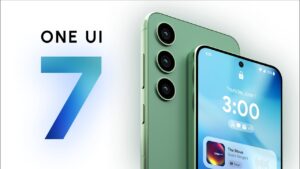
🚀 What’s New in Samsung One UI 7 features
Samsung One UI 7 isn’t just another routine update—it’s a full-fledged redesign. If you’ve been using Samsung phones for a while, this will feel like a breath of fresh air. Here’s what’s changed:
🎨 1. A Major UI Overhaul
For the first time in six years, Samsung has completely overhauled One UI. The interface is smoother, sharper, and more minimalist. Icons look modern, animations are slick, and the overall experience feels… well, just better. It’s like Samsung finally decided to declutter its UI, and I’m all for it!
🔧 2. Redesigned Quick Panel
- Notifications and controls are now in separate panels.
- Swipe down for notifications only, and swipe again for full settings.
- Faster access to WiFi, Bluetooth, and device controls.
It’s a small tweak but makes a huge difference in daily usage. I no longer feel like I’m playing a game of “Where’s Waldo?” while adjusting my settings. 😂
📷 3. Camera & Gallery Upgrades
- Pro Mode enhancements – More control over manual settings.
- AI-powered image editing – Think Google Photos but baked into Samsung’s ecosystem.
- Faster processing – Your photos will now look sharper without extra effort.
If you love mobile photography, this update is a treat. 📸
🧠 4. AI-Powered Features
Samsung is going all-in on AI with One UI 7. Here’s what’s new:
- Smart writing tools – Auto-summarization, spell-checking, and formatting.
- Call transcription – Supports 20 languages, including English (India) and Hindi.
- Improved voice commands – Bixby is still alive (barely), but these features work great with Google Assistant.
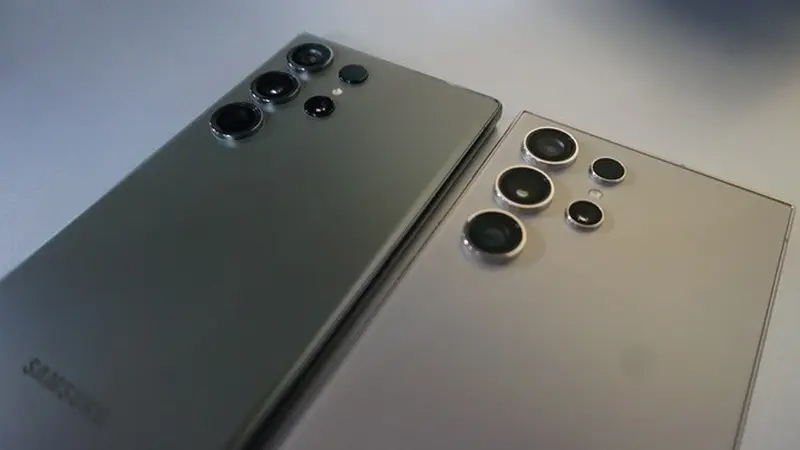
❌ Removed Apps in One UI 7
Not all changes are good news. Samsung has removed or deprecated some major apps, including:
- 📞 Samsung Phone
- ✉️ Samsung Messages
- 📇 Samsung Contacts
- 💻 DeX for PC (RIP 😭)
Why? Samsung wants users to fully embrace Google’s ecosystem, pushing apps like Google Phone, Messages, and Contacts instead. If you’re someone who loved Samsung’s native apps, this might be frustrating. But if you already use Google’s alternatives, this won’t affect you much.
📅 Samsung One UI 7 Release Timeline in India 🇮🇳
If you’re in India, you’re probably eager to know when your device will get the update. Here’s the expected rollout schedule:
📱 Already Released (Jan 2025)
- Galaxy S25 series (Launched with One UI 7 pre-installed)
- Galaxy S24 series (Beta available since Dec 2024)
⏳ Coming Soon (March-April 2025)
- Galaxy S23 series
- Galaxy Z Fold 5 & Flip 5
- Galaxy A16, A06 5G, M06 5G, F06 5G
❌ Delayed Until Mid-2025
- Older Galaxy A & M series devices
- Galaxy Tab series
If you’re using a flagship, you’ll get it sooner. Mid-range and budget devices? A little more patience is needed. 😅
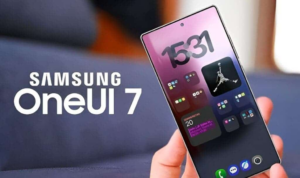
⏬ How to Download One UI 7 on Your Samsung Device
If your device is eligible, here’s how you can get the update:
- Go to Settings.
- Tap on Software Update.
- Click Download and Install.
- Follow the on-screen instructions and enjoy the new UI! 🎉
🤔 Should You Upgrade to One UI 7?
Let’s be real—new updates always sound exciting, but are they worth it? Here’s my take: ✅ If you love a fresh, modern UI, go for it. ✅ If you want AI-powered features and a better camera, it’s a no-brainer. ❌ If you rely on Samsung’s old apps, you might need some time to adjust.
Final Thoughts 💭 on One UI 7 Features
Samsung One UI 7 is a game-changer. It’s cleaner, smarter, and more future-focused. Yes, some features are gone, but the trade-off is a more polished experience. Whether you love or hate it, this is the future of Samsung’s UI.
So, are you excited for One UI 7? Or do you miss the old Samsung vibes? Drop your thoughts in the comments! 👇💬
📌 Stay updated by following Samsung’s official update tracker!
🚀 Sharing is caring! If you found this helpful, share it with fellow Samsung users. 💙


